Tap, double-press, hold
Give one key three actions. A double-press waits a beat to tell itself apart from a tap; a hold fires once the key stays down.
DeckForge is a free, open-source Windows controller for Stream Deck–style hardware. Lay out pages, chain macros, drive OBS and per-app audio, then send it all to the deck over USB.
Knob. Drag or use the arrow keys to turn it, and press Enter to push it.
Try it: tap, double-press or hold a key. Drag a knob. Swipe the strip.
The editor
Set up the deck on screen, press Apply to Device, and the layout goes over USB. Close the window and DeckForge keeps running in the tray, so the keys keep working.
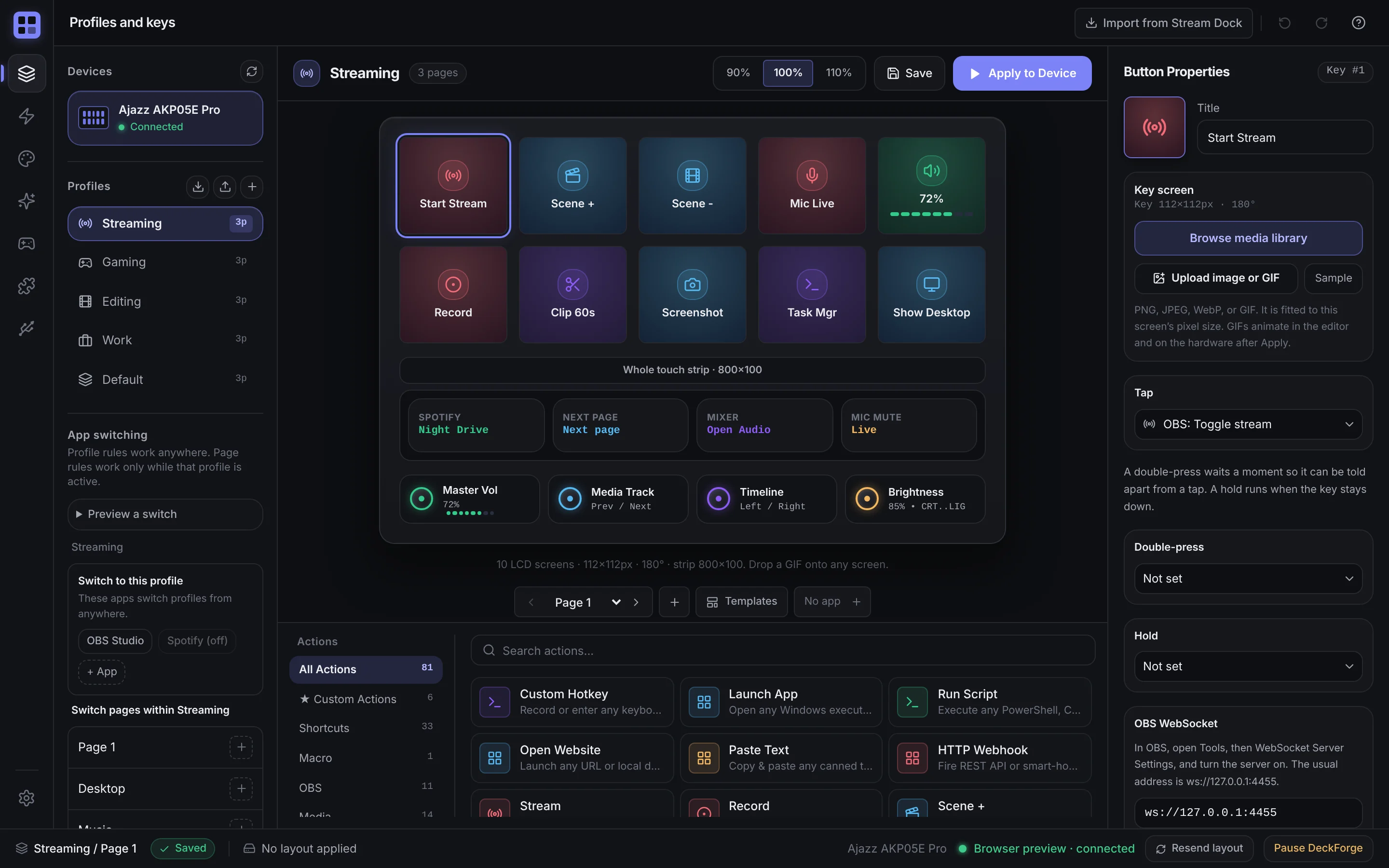
Lay out keys, touch-strip zones and knobs page by page. Each key gets a tap, a double-press and a hold, and profiles can follow the app in focus.
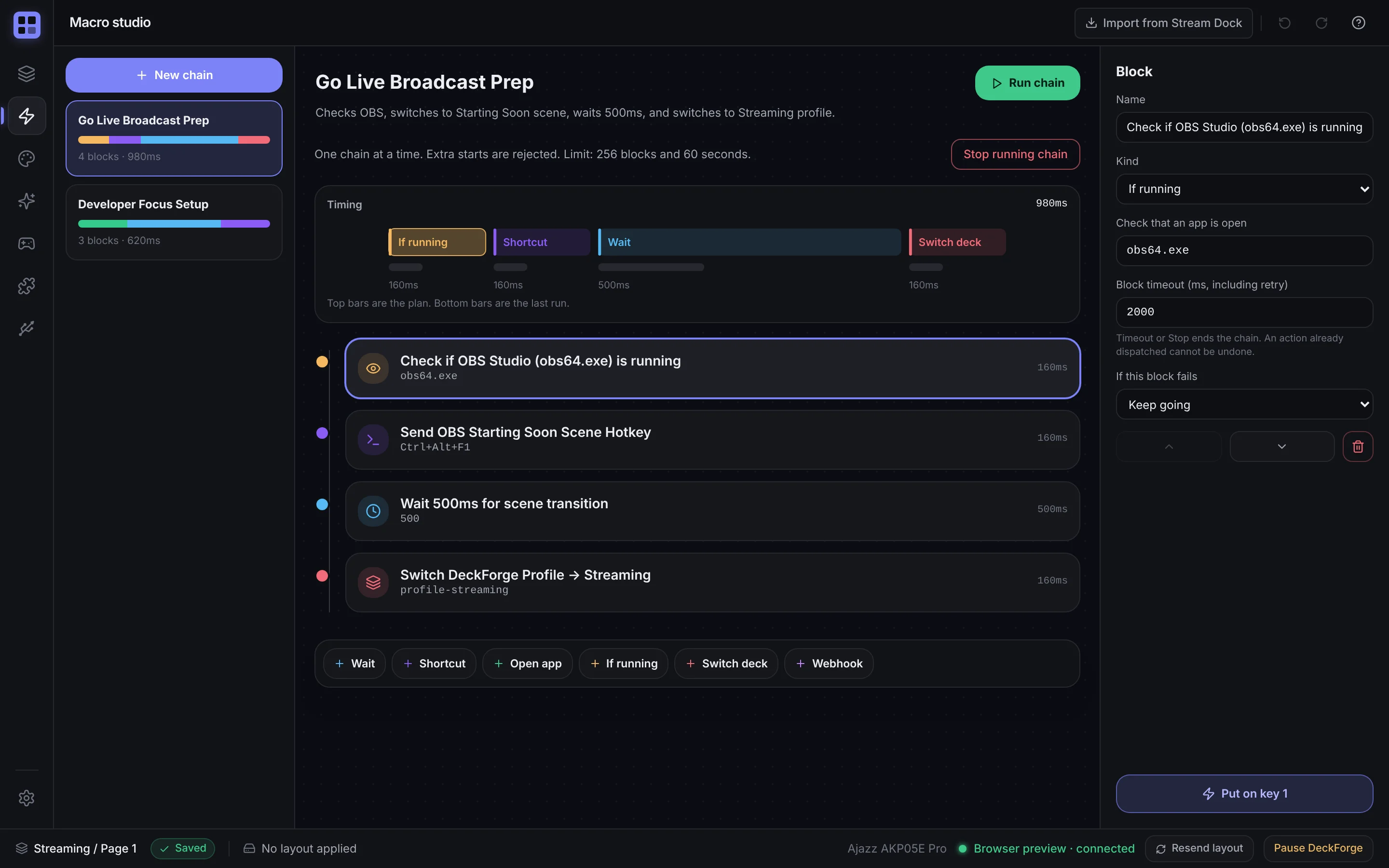
Chain shortcuts, waits, “if running” checks, profile switches and webhooks. One chain runs at a time, capped at 256 blocks and 60 seconds, and Stop cancels what hasn’t run yet.
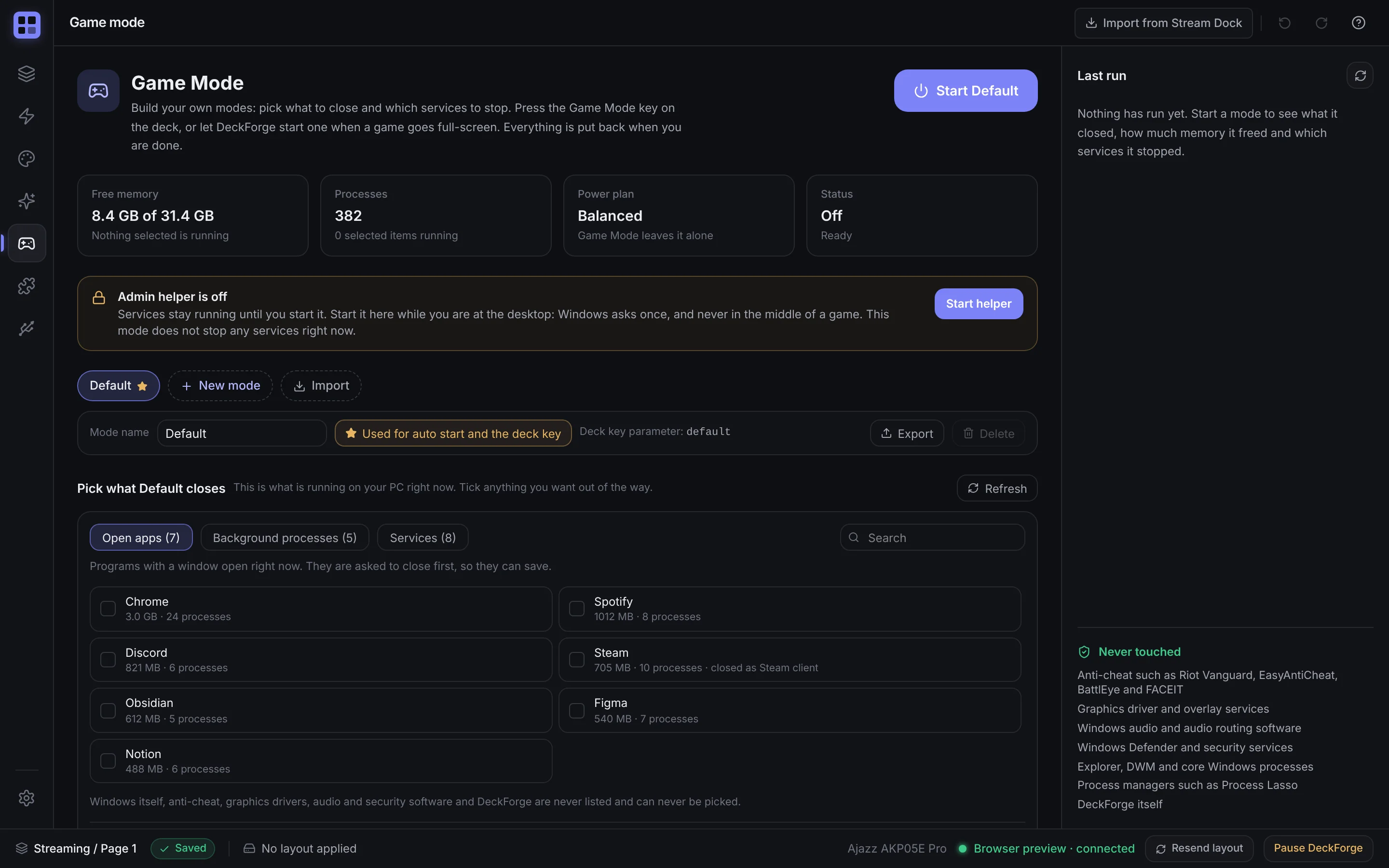
Pick what to close from what is actually running, optionally switch power plan, and get it all back afterwards. Anti-cheat, drivers, audio and security software are never offered.
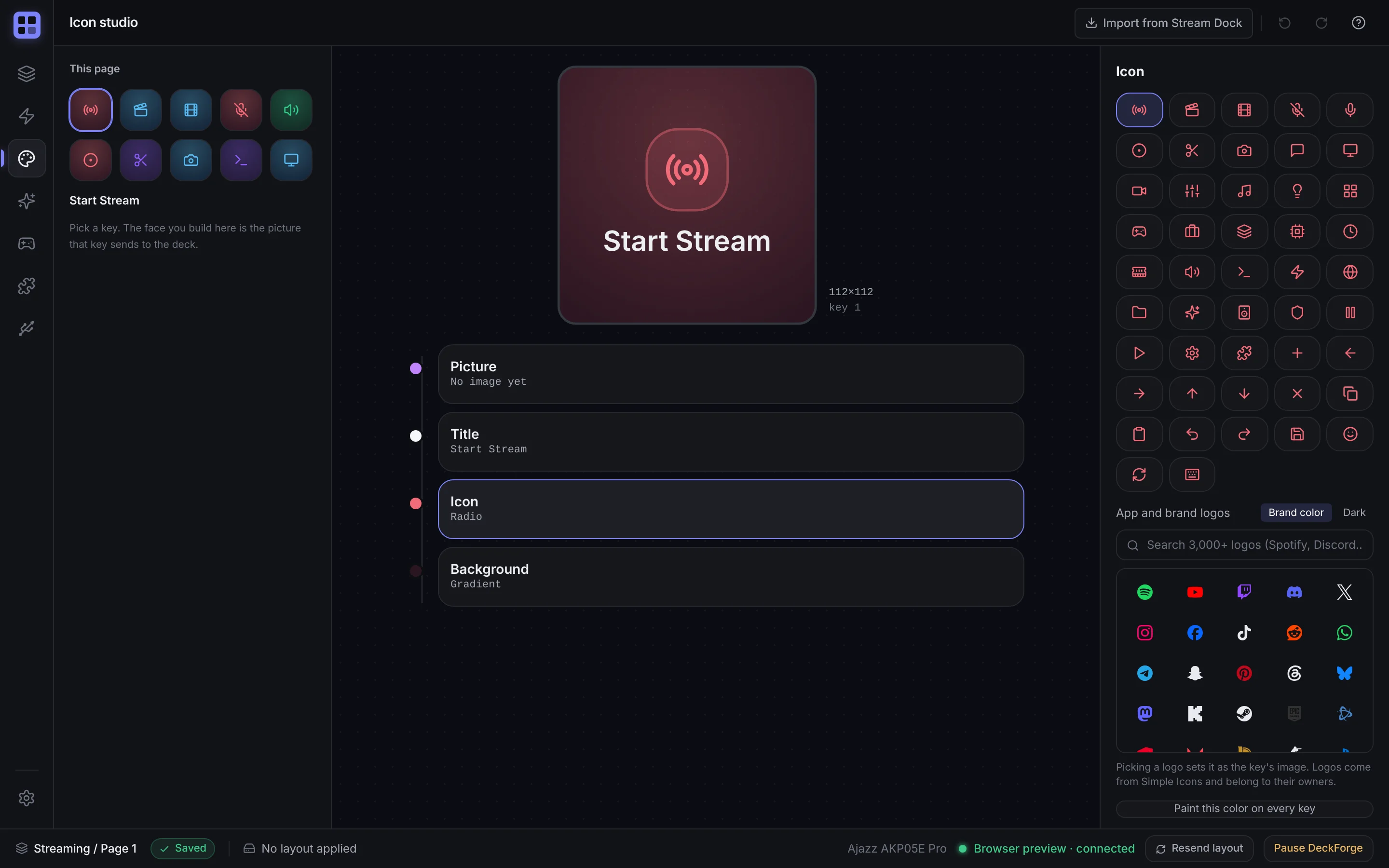
Build a key face from a picture, a title, an icon and a background, or start from 3,000+ app and brand logos.
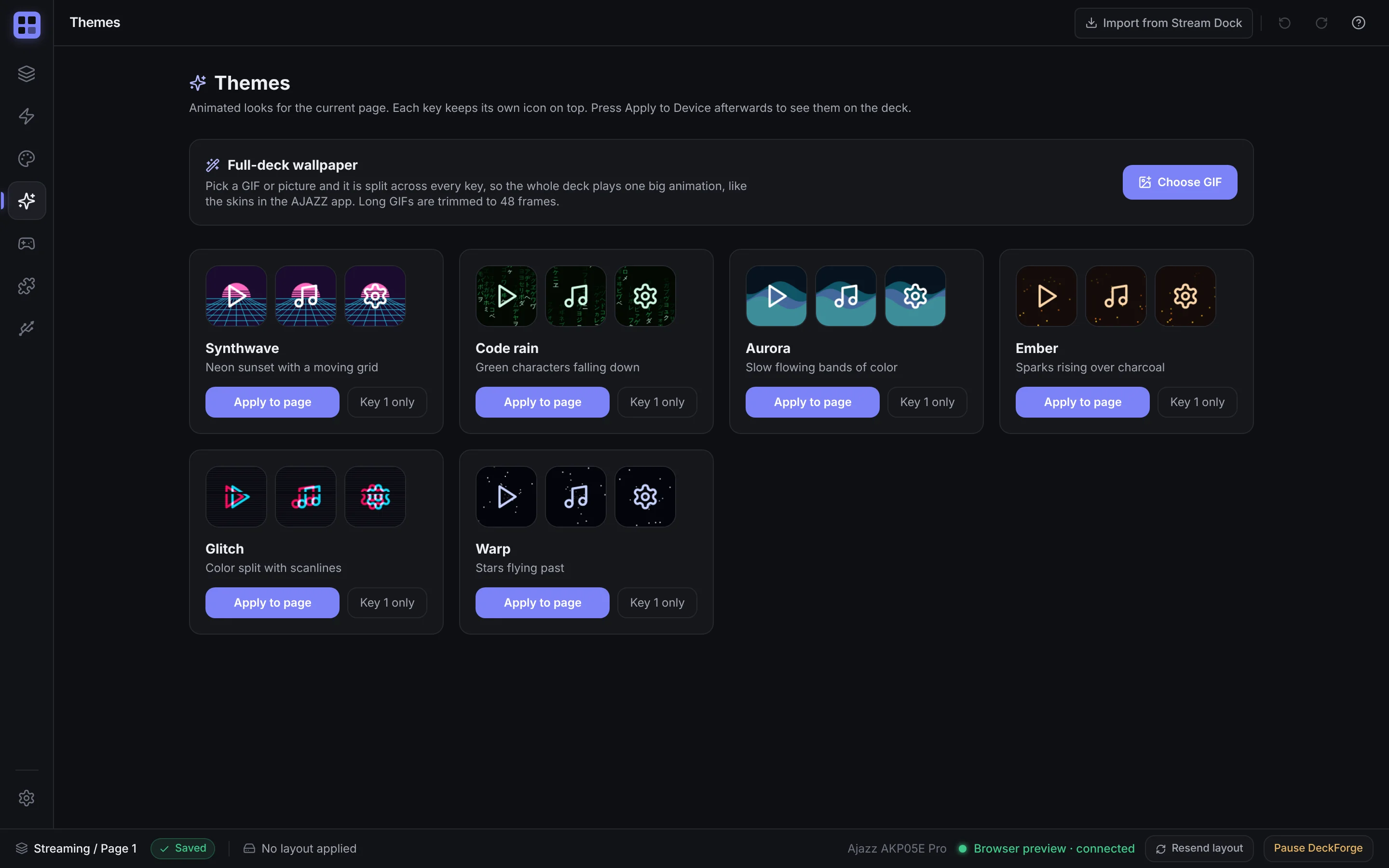
Animated looks for a whole page, or one GIF split across every key so the deck plays a single animation.
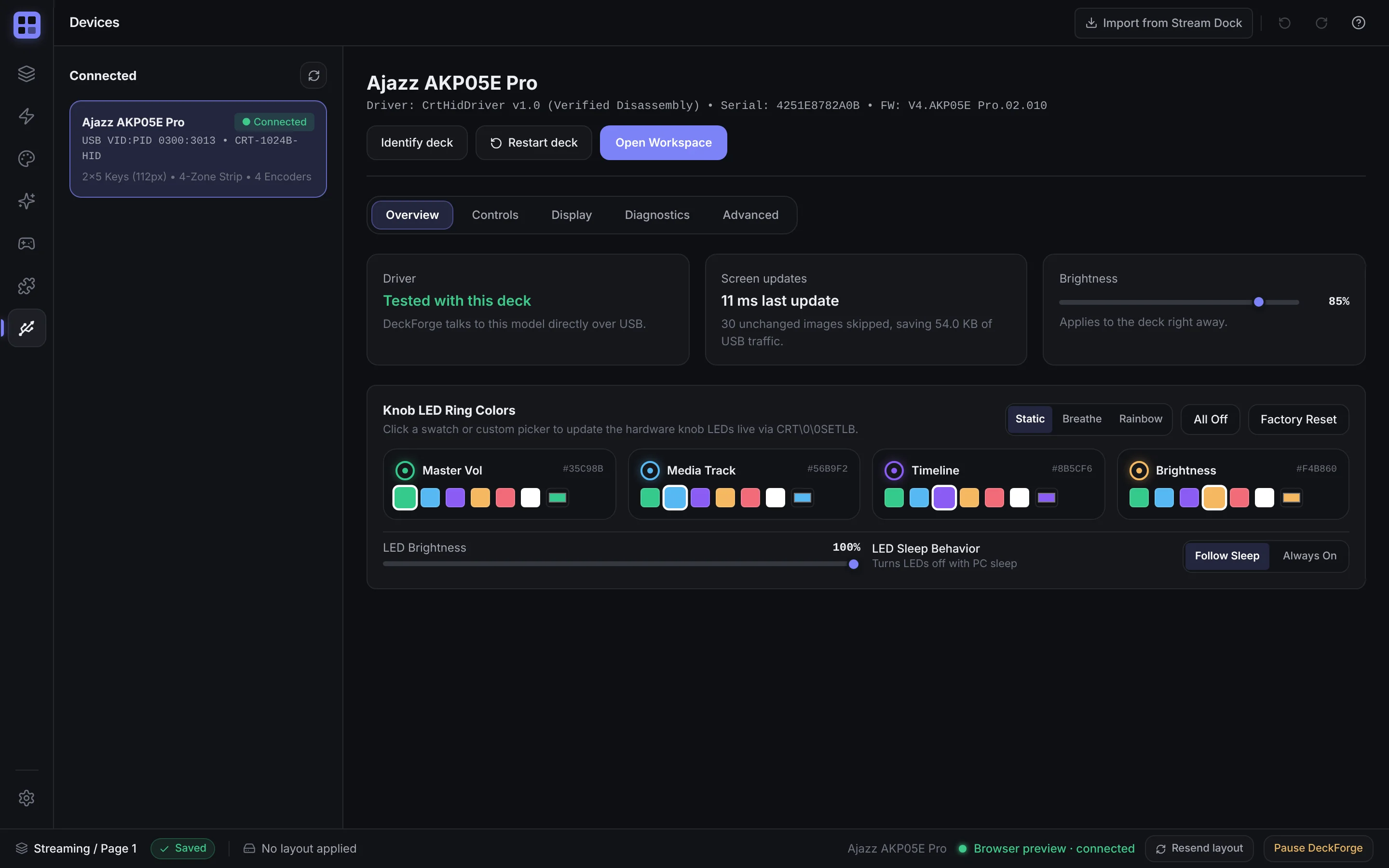
See which driver is talking to the deck, how many unchanged images were skipped, and set knob LED ring colors.
Screens from DeckForge’s built-in demo profile.
Features
Make every press count.
Give one key three actions. A double-press waits a beat to tell itself apart from a tap; a hold fires once the key stays down.
Shortcuts, waits, “if running” checks, app launches, profile switches and HTTP webhooks, timed block by block.
Icons, titles, brand logos, and GIFs that animate on the hardware. Search Wikimedia Commons or start from CC0 animations.
Ready-made Windows, editing, game-recording and browser hotkeys, each still editable, or record your own keybind.
Run your setup from the deck.
Stream, record, pause, replay buffer, virtual camera, studio transitions, named scenes and source mutes over OBS WebSocket.
Turn Spotify down without touching Discord. Knobs step one app’s volume by 2%, push to mute, and the key shows the level.
Close the apps and services you pick, switch power plan if you like, and put everything back when you’re done.
Runs Stream Deck and Stream Dock .sdPlugin plugins. Each one stays off until you turn it on.
Reliable enough to forget about.
Close the editor and the deck keeps working. Unsaved edits are kept as a recovery draft in case of a crash.
A heartbeat keeps the firmware awake, the layout is re-sent after a reconnect, and unchanged key images are skipped.
If the AJAZZ app is running, DeckForge lets go of the deck and waits for you. It never closes the other app for you.
Import Stream Dock .sdProfile files, and share profile packs with their macros, pictures and animations.
Hardware
DeckForge talks to decks directly over USB HID. One model is tested on real hardware. Drivers for more are written, and each will be switched on once it has been checked on a real device.
Tested on hardware
USB 0300:3013 · CRT-V4 protocol
Driver written, not yet enabled
Own one of these? Open an issue. A hardware report is how a driver gets verified.
Open source
DeckForge is GPL-3.0. Rust talks to the hardware and to Windows, React draws the editor, and Tauri holds the two together in a small, signed installer.
Every release says what was checked by automated tests and what was checked on a physical deck, and names device families that have protocol code but haven’t been verified.
# Node.js 22 and Rust 1.90 (pinned in rust-toolchain.toml)
git clone https://github.com/Adoxcol/deckforge.git
cd deckforge
npm install
npm run tauri dev
No deck? npm run dev opens the editor in a browser with demo data.
Changelog
The latest releases, read from GitHub as the page loads, so this list always matches what has shipped.
Release notes for every version are on GitHub.

Free, open source, and it keeps itself up to date.